TeleCollect: Capture Pose Data to Train Robot Arms and Humanoids
TeleCollect is out now on the App Store, free for iOS, iPadOS, visionOS, and macOS.
Good policies start with good data. If you are training a robot arm to reach, or a humanoid to balance and manipulate, the bottleneck is rarely the algorithm. It is getting clean, structured demonstrations of how a body actually moves through space, frame by frame, joint by joint.
That is the problem TeleCollect solves. It turns any iPhone, iPad, Vision Pro, or Mac into a pose data collection rig. Point a camera at a person, hit record, and TeleCollect writes both the video and the bones, the per-frame skeletal landmarks, to disk in a format you can drop straight into a training pipeline.
Why both the visual and the bones matter
Most reinforcement learning and imitation learning setups for arms and humanoids need two things from human demonstrations:
- The visual stream. The raw RGB video, so you can re-run pose estimators, train vision policies, or verify a frame by eye.
- The skeletal stream. The joint positions over time, which become the actual targets for retargeting onto a robot's kinematic chain.
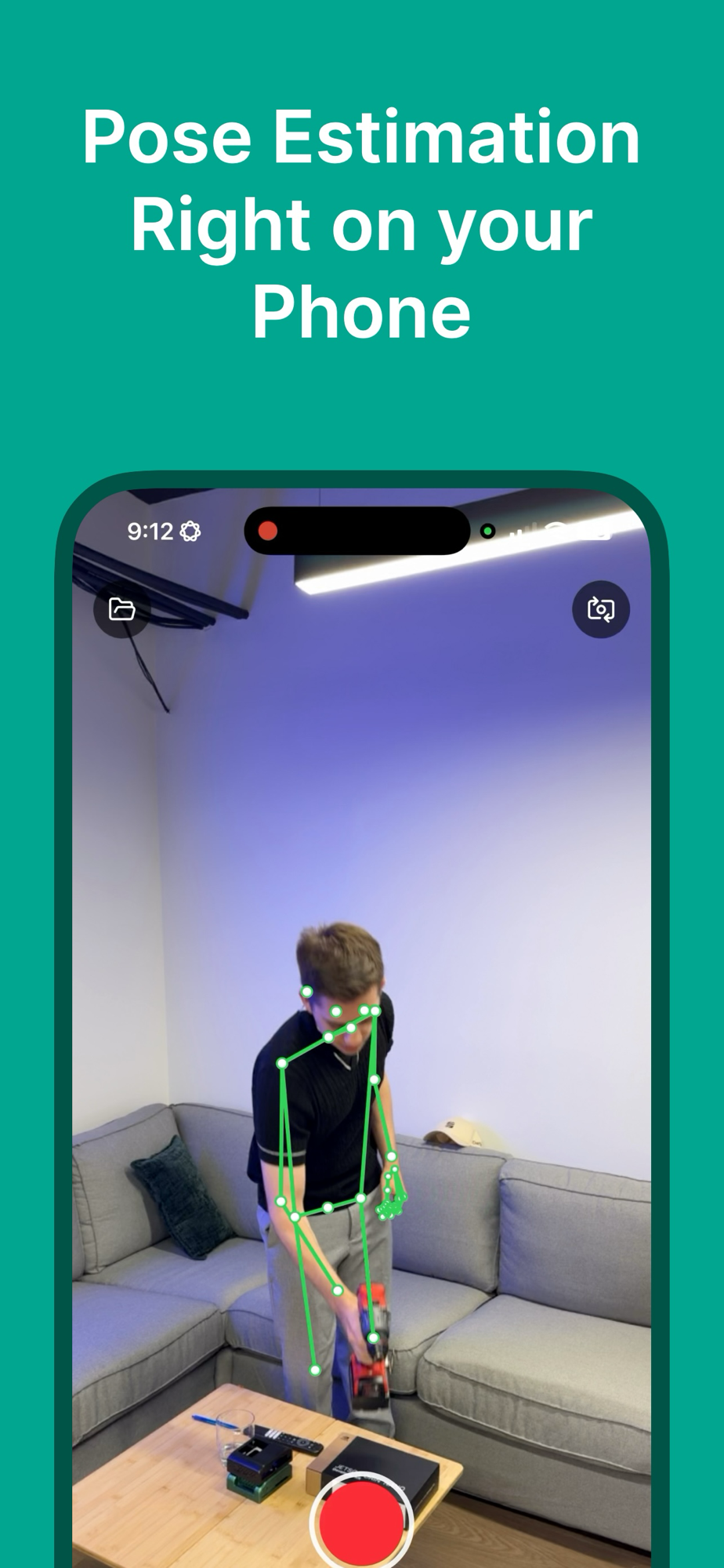
TeleCollect records both at once, time-aligned, so the bones map 1:1 onto the video pixels. You are not stuck re-deriving joint data from footage later.
It is captured live, at camera frame rate, with the skeleton drawn over the people in frame, so you can see exactly what is being collected as you collect it. Tap the preview to toggle the overlay on or off at any time, and it all runs on the phone in your hand, with no rig, no desktop, and no cloud.
Track the whole body, at any angle
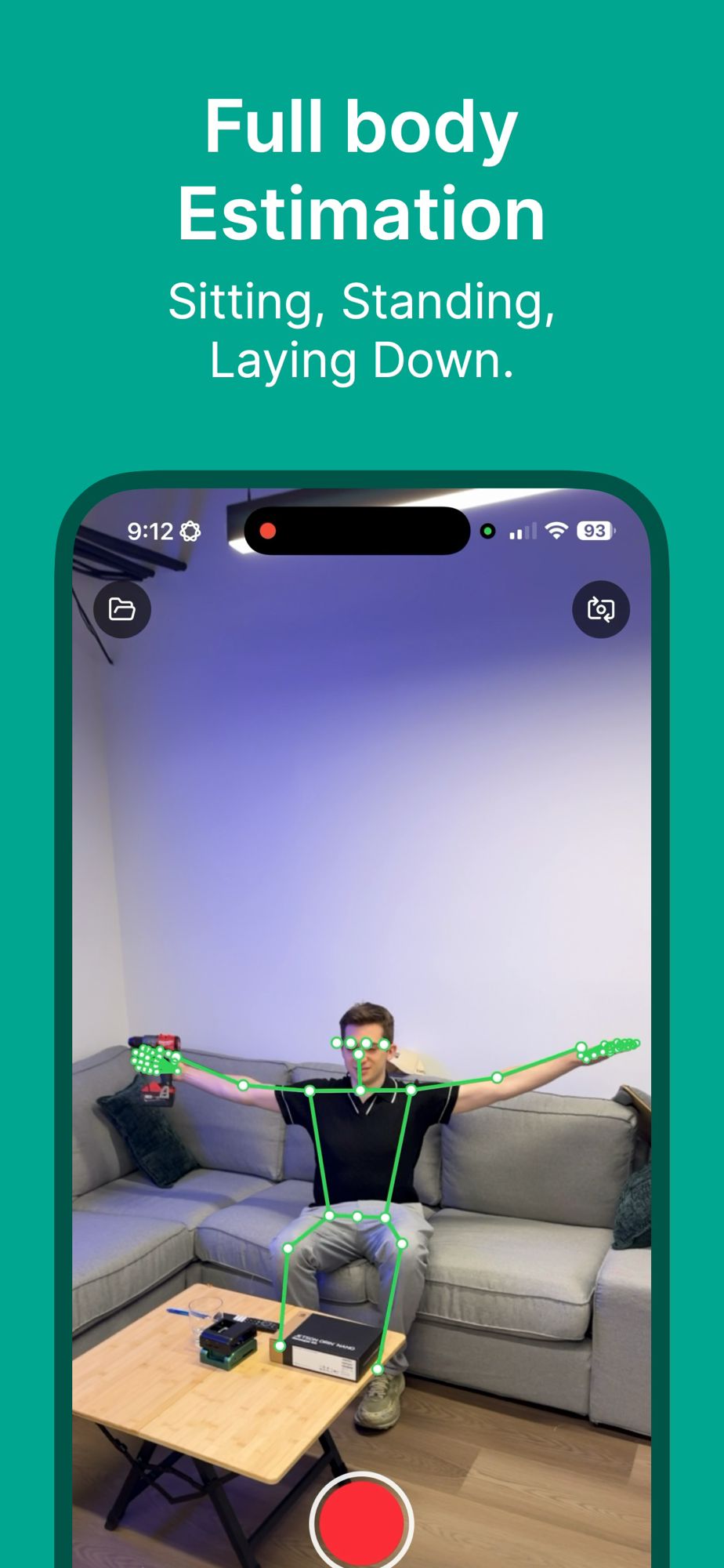
The pose engine tracks the full body (head, torso, arms, legs, hands, and feet) whether your subject is standing, sitting, or lying down. When several people are in frame, each one is tracked and indexed separately in the data.
That flexibility matters for data collection, because real demonstrations are rarely shot from a single clean, head-on angle. You want the joints to hold up when a person turns, crouches, or reaches off to the side, not just when they pose for the camera.
The feet and lower-body joints are tracked too, which is exactly what you need for locomotion and balance work, where ground contact and weight shifts are the whole point. For a manipulation task you might only keep the upper-body joints; for a humanoid gait you keep all of them. Either way the data is there in every frame.
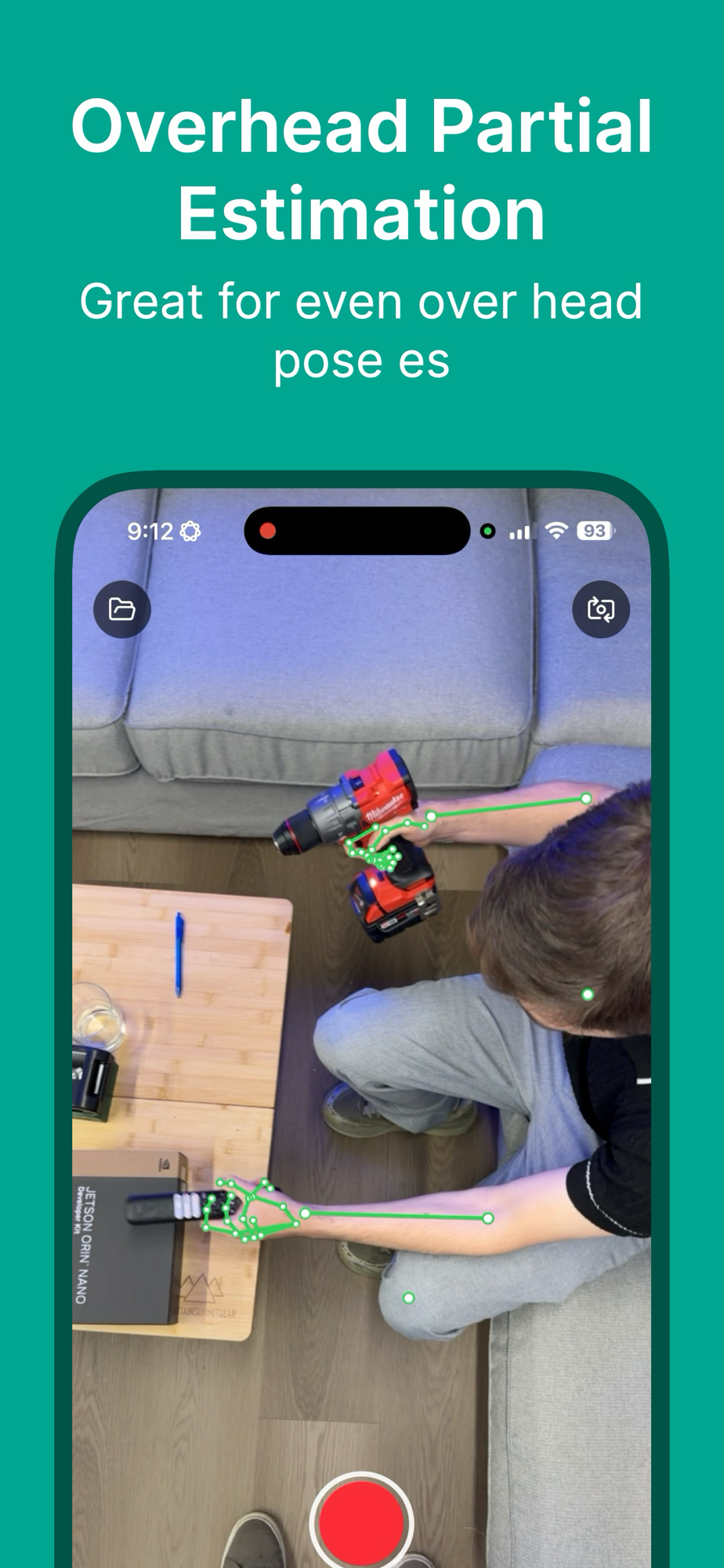
It also holds up for overhead arm motions, reaching, and bimanual manipulation, the kinds of trajectories you want when teaching a manipulator to work above its base.
Even from a steep overhead angle, where only part of the body is in frame, the arm and hand joints stay tracked alongside whatever else is on the bench: here, a power drill and a Jetson Orin Nano dev kit. That is exactly the partial, top-down view a robot's own wrist camera tends to see.
And because the hand request returns 21 joints per hand, you do not lose the fingers when the rest of the body leaves the frame. Grasp, regrasp, and tool-use trajectories, the hardest part of most manipulation policies, stay in the data even when all the camera can see is two hands and a drill.
What TeleCollect captures
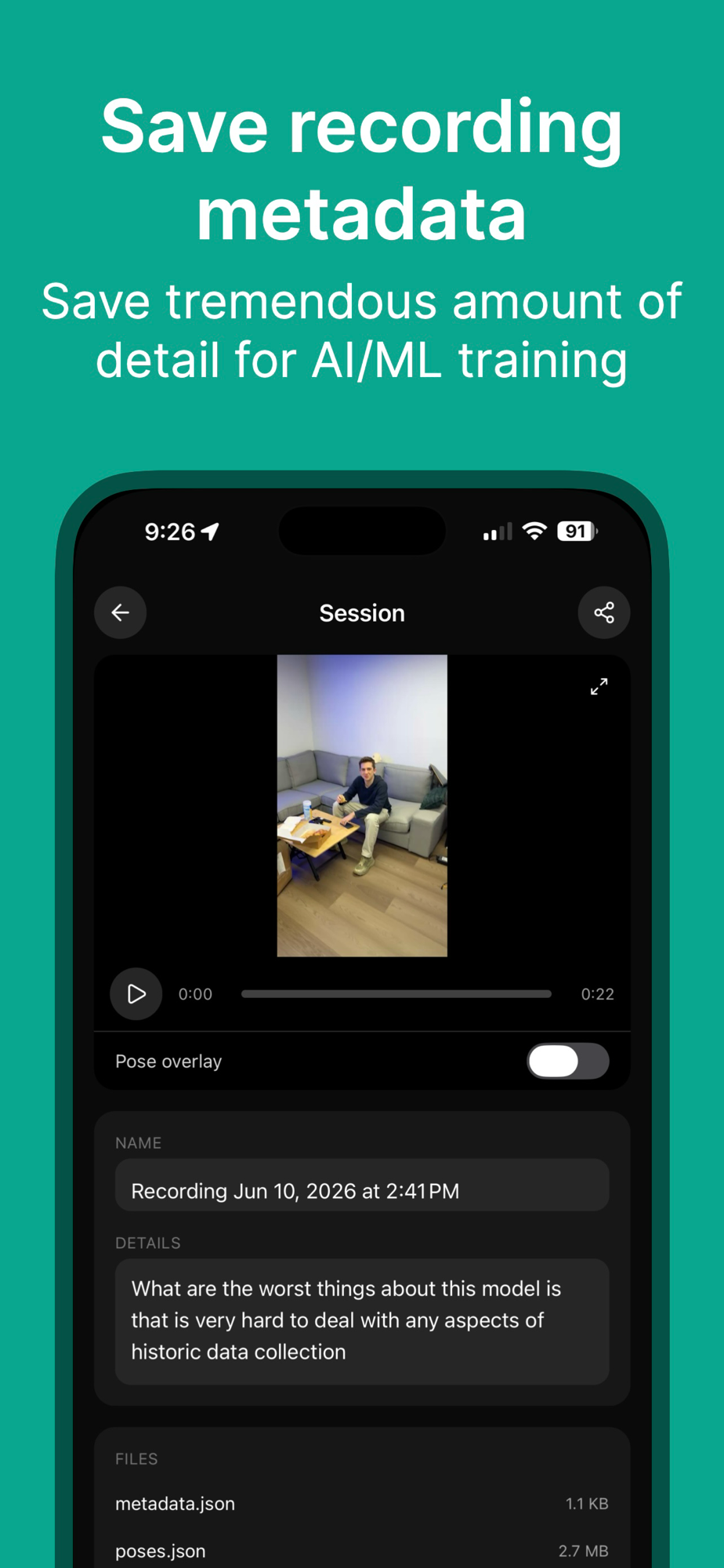
Every recording session writes a self-contained directory you can open, replay, and inspect right in the app:
metadata.json: session name, free-form details, ISO-8601 start and stop times, device model and OS, the camera used, resolution and fps, the pose engine, plus extras like thermal state, battery, and locale. All the provenance you want when a dataset has to be reproducible.poses.json: per-frame joint data, multi-person (people are indexed per frame), in normalized top-left coordinates that map directly onto the video pixels.video.mp4: the raw footage, written when you check "Save Video File?" for that session.
Because each session is just a folder of plain JSON and an mp4, it is trivial to parse, version, and feed into whatever training stack you already run.
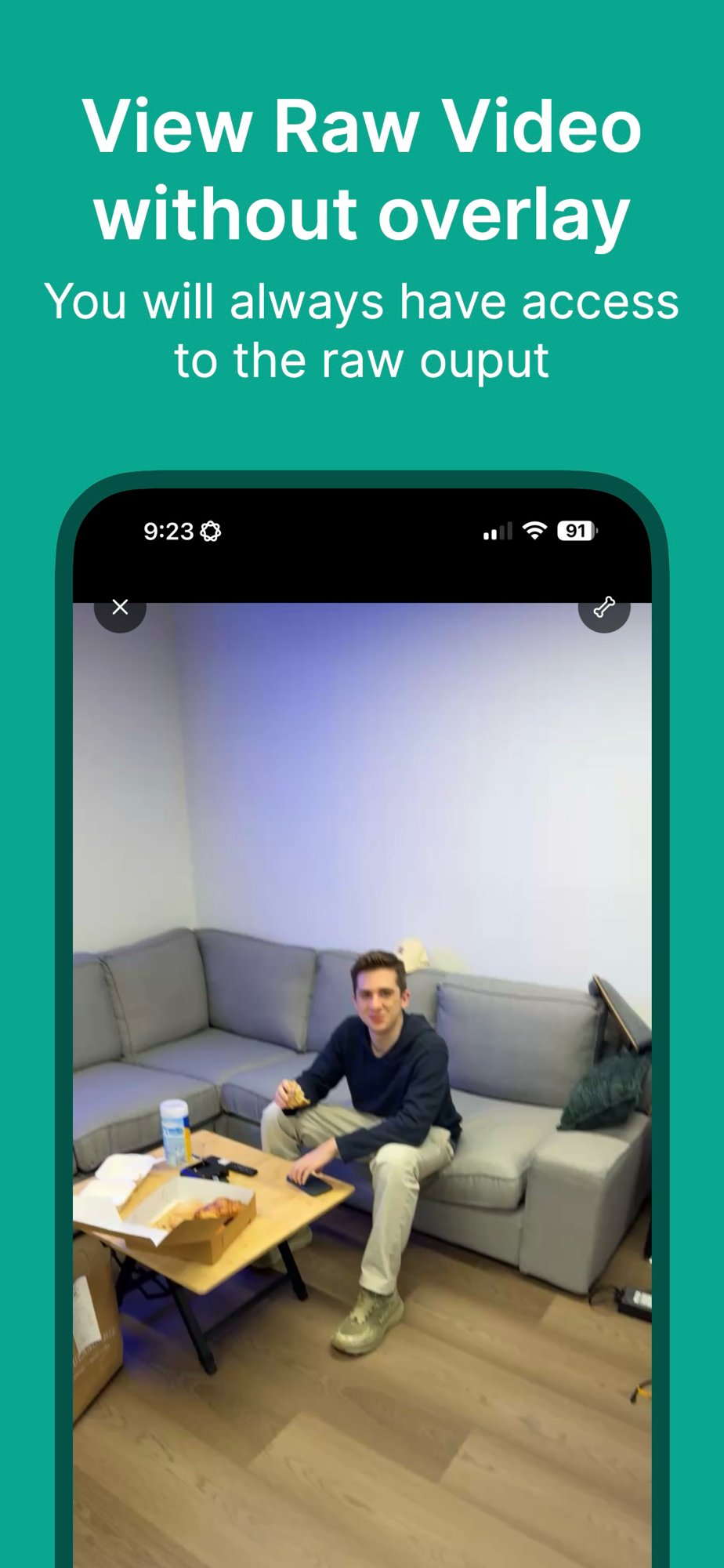
You always keep the raw video, overlay or not. Replay any session with the skeleton turned off to review the untouched footage, then flip it back on to check the joints frame by frame in the built-in player with seek.
Being able to scrub the raw take is how you catch the bad ones early: a subject who drifted out of frame, a motion that was too fast for the camera, a take where the lighting washed out the hands, all spotted before any of it pollutes your training set.
That is the kind of detail that makes a dataset reproducible for AI and ML training: the raw pixels, the joints, and the metadata that ties them together, all in one folder.
Features
- Live pose overlay. A skeleton of arms, legs, hands, and feet is drawn over everyone in the camera preview in real time. Tap the preview to toggle it.
- Every camera, including USB-C webcams. A camera picker lists front and back cameras, Continuity Camera, and external USB-C / UVC webcams, re-discovered on every open so hot-plugged cameras show up immediately.
- Multi-person tracking. When several people are in frame, each one is tracked and indexed separately in the pose data.
- Recording sessions with an optional "Save Video File?" toggle, so you can capture pose-only when you do not need the heavier video.
- Session browser. A folder of every recording sorted by date. Open one to rename it, edit details, inspect the files and metadata, and replay the video with the recorded pose overlay in a built-in player with seek.
- Zip export and share. Share a single session, or multi-select sessions, and TeleCollect zips them natively with a progress bar and hands them to the platform share sheet, one folder per session.
Pose engines
Detection and skeleton rendering happen entirely on-device, natively, so the overlay runs at camera frame rate and nothing leaves your machine unless you export it.
| Platform | Engine | Joints |
|---|---|---|
| iOS / iPadOS / visionOS / macOS | Apple Vision | 19 body joints (VNDetectHumanBodyPoseRequest) + 21 joints per hand (VNDetectHumanHandPoseRequest) |
On Apple platforms, the body and hand requests run together, so a single frame gives you torso, limbs, and detailed finger articulation, which is useful when the manipulation you care about is in the hands.
Built for the field, private by default
TeleCollect has no analytics, no tracking, no accounts, and no cloud upload. Recordings stay on the device unless you explicitly export them. That makes it a clean tool for collecting demonstration data in a lab, on a factory floor, or anywhere you do not want footage of people leaving the premises.
Get started
TeleCollect is free on the App Store and runs on iOS, iPadOS, visionOS, and macOS:
Grab a few demonstrations, export the sessions, and you have the start of a pose dataset for your reinforcement learning journey. If you build something with it, whether an arm policy, a humanoid controller, or a retargeting pipeline, we would love to see it.
Related post
Expand your knowledge with these hand-picked posts.
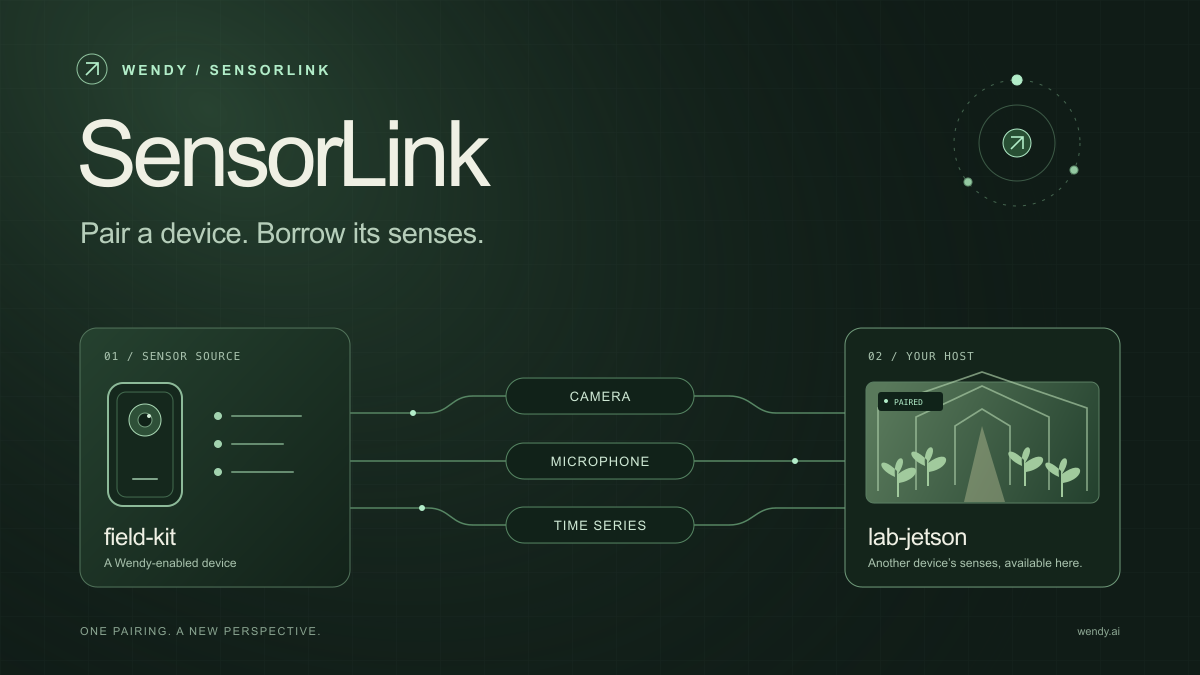
SensorLink: Pair a Device. Borrow Its Senses.
Give your Wendy host the eyes and ears of another device. SensorLink brings cameras, microphones, and a shared model for time-series sensors into a familiar pairing workflow.
Wendy Labs - Wendy Labs Team

Free NVIDIA DGX Spark 3D model
Download our free NVIDIA DGX Spark 3D model as a GLB or an editable Blender scene with studio lighting, materials, and cameras. No signup required.
Wendy Labs - Wendy Labs Team


Start with one device. Close the loop around it.
Use WendyOS on your hardware or add Wendy Agent to an existing Linux or Apple Silicon Mac. Connect sensors, run your code, and carry what you learn into the next release.