One USB-C Cable: How We Made the NVIDIA Jetson Thor Flashable from a Mac or Windows PC
The CLI finds the board by its physical USB port and starts Thor’s early boot chain.
TLDR, you can now Flash WendyOS from a USB-C cable with a Macbook or Windows. Get Started
With wendy os install, we can now flash WendyOS onto an NVIDIA Jetson AGX Thor from macOS, Windows, or Linux. Our
CLI downloads a prebuilt flashpack, handles recovery over one USB-C data cable, and configures the board before its
first boot. Thor still uses its supplied power connection.
When NVIDIA shipped the Jetson AGX Thor, we set a simple bar for WendyOS: installing it should feel like setting up a phone. Connect one USB-C cable to your laptop, run one command, and let the tooling do the rest. Sadly, flashing WendyOS onto Thor required an x86 Ubuntu machine, and that's a computer most developers don't program on or have access to. At least in our developer base, the overwhelming majority use MacBooks or Windows machines.
Thor still needs its supplied power connection, but that USB-C cable should be the only data connection to your developer machine, and requiring another computer is an unreasonable entry fee for getting into robotics. If you love your Mac or Windows development environment, why create and maintain a second desktop just to install an OS?
We couldn't have picked a less phone-like device for that experience: a complete install has to update two kinds of storage through a recovery protocol designed around a Linux host, while the several-gigabyte vendor bundle depends on a mix of Python and native utilities and was never meant to run on a Mac or Windows PC.
That was our starting point in late June 2026, and about a month later, the same install worked from macOS, Windows, and Linux with one Wendy CLI binary.
Here's how we got there.
Why we couldn't stop at a disk image
We couldn't treat Thor like a Raspberry Pi, where installing an operating system often means writing an image to an SD card. For WendyOS, we chose a full recovery install that writes the QSPI bootloader chain and the internal NVMe partitions together while the board is in USB recovery mode. That keeps both sides of the boot path on a compatible release from the first startup.
What QSPI and the bootloader chain do
Skip this section if you already know what a QSPI bootloader chain is.
QSPI stands for Quad Serial Peripheral Interface. It's a fast serial connection that moves data over four lines instead of the single data line used by ordinary SPI. When we say "QSPI" here, we mean the QSPI-connected NOR flash that provides small, nonvolatile storage for early boot firmware and configuration.
QSPI flash and NVMe have different jobs, and NVIDIA's Thor partition configuration identifies QSPI NOR as the boot partition device and the NVMe SSD as the user partition device. NVMe has the capacity for the Linux kernel, root filesystem, application data, and the other large WendyOS partitions, while QSPI holds the firmware and configuration the board needs before it can read and start any of that software from NVMe.
The closest PC analogy we've found is BIOS or UEFI firmware on the motherboard paired with an operating system on an SSD, although Thor's early boot process has more hardware-specific stages.
A bootloader chain is that sequence of stages. No single program turns on every part of Thor and jumps straight into Linux. Each stage initializes enough hardware for the next stage, loads it, and, where required, authenticates it. NVIDIA's Thor boot flow describes the overall job as initializing storage, memory, and the CPU, setting security parameters, loading and authenticating firmware, maintaining the chain of trust, and finally booting the operating system.
In simplified form, the handoff looks like this:
- BootROM is immutable code inside the Thor SoC. It runs first after reset. In normal boot it starts loading the early firmware from QSPI. In Force Recovery Mode it listens for that early firmware over USB instead.
- PSCROM and the security stages provide authentication and decryption services. They help establish the chain of trust and audit the firmware that follows.
- MB1 performs low-level board initialization. It applies configuration for clocks, power, pins, security, and memory, then initializes DRAM using the Memory Boot Configuration Table.
- MB2 continues platform bring-up after MB1 and prepares the system for UEFI.
- UEFI provides the standard firmware-to-operating-system boundary. It chooses the boot target, reads the WendyOS boot files from NVMe, and starts Linux.
- Linux takes over, loads its drivers, and mounts the WendyOS root filesystem.
The Boot Configuration Tables, or BCTs, are structured inputs to those stages rather than another operating system. They describe board-specific facts such as memory settings, hardware configuration, load addresses, sizes, and hashes. The early boot programs need those facts before ordinary drivers or filesystems exist.
It's called a chain for two reasons. First, each stage depends on the hardware state created by the one before it. Second, the secure boot path can verify each component before handing over control. If an early QSPI stage is stale or incompatible with the layout and boot files on NVMe, the chain can stop before Linux ever gets a chance to run.
We found out that writing NVMe alone wasn't enough for a first WendyOS install because, if QSPI contains an incompatible boot chain, the board can fail before it reaches the operating system. Once that happens, an ordinary in-system update can't help because there's no normally booted system to perform it.
We started with NVIDIA's flashing flow, which runs a host-side script against a Thor in recovery mode. The bundle we had to work with was roughly 7 GB, and its host tools ran on x86_64 Linux. Some of the signing utilities were 32-bit i386 binaries, so the host also needed 32-bit compatibility libraries. The flow coordinated Python programs, signing tools, boot configuration generators, and USB utilities.
It worked in the environment it was built for. However, we couldn't run it on macOS or Windows.
One workflow, two separate jobs
Our breakthrough came when we watched the workflow and separated what it did into two jobs:
- Signing and generation. Sign the partition images, build the boot configuration tables, and assemble the boot chain. This work doesn't need a connected Thor.
- Delivery. Send the generated files to the board in the exact order its recovery firmware expects. This work has to happen on the developer's computer.
We only needed to make delivery cross-platform, and, at the same time, signing and generation could stay on our x86_64 Linux CI runners, where NVIDIA's tools already worked.
That boundary let us keep NVIDIA's signed device-side boot chain while replacing the host experience because we didn't need to decompile the vendor binaries or reproduce their signing logic. Instead, we needed to capture the output of the offline phase and build a portable way to deliver it.
The flashpack moves Linux-only work into CI
In WendyOS-Builder PR #142, merged June 29, we added the first Thor flashpack build. Our CI runs the offline half of NVIDIA's flow, signs a complete WendyOS release for unfused developer kits, and packages the result into one compressed archive.
We structured the flashpack around three important parts:
stage1/contains the boot images sent to the boot ROM. It includesblob.bin, a roughly 171 MB payload, plus all eight memory configuration table variants. The manifest records the build-derived default, so the host doesn't have to generate one during the install.stage2/contains the signed partition images and the plan for writing QSPI and NVMe. The Thor plan covers about 70 partitions.manifest.jsonrecords checksums, file sizes, and the order of the first four boot ROM downloads. The memory configuration table and blob follow in their fixed stages.
Even though the archive still contains bootloaders and flashing utilities that execute on the Thor, we made sure nothing in it needs to execute on the host, so the laptop can treat the entire flashpack as verified data.
The initial archive was about 6.6 GB uncompressed and about 3.2 GB after zstd compression. Our CI streams the tar output directly into zstd, uploads the result, and records its location, checksum, and size in the device manifest. That leaves our CLI with four jobs: download, verify, extract, and deliver.
Phase 1: exact order, almost no feedback
A Thor in recovery mode appears as USB device 0955:7026 and speaks NVIDIA's boot ROM recovery protocol. The CLI sends the early boot chain, including the boot ROM configuration, MB1, the security processor bootloader, and MB1 configuration. It then selects the correct memory configuration table and sends the large blob that contains MB2, UEFI, and the small Linux flashing environment.
We learned quickly that order matters because the boot ROM offers almost no diagnostics when a file arrives at the wrong time: most transfers get no acknowledgement at all, while adding the protocol envelope used by older Jetsons makes Thor reset silently. At one point in the sequence, reading the one expected response helps keep the boot process alive, but reading when no response is coming can break the connection.
We implemented this phase in Go on top of libusb. macOS supplied several traps:
- A timed-out read can abort the endpoint and desynchronize the connection, so the code can't probe with speculative reads.
- Large writes fail in IOKit, so transfers are split into 16 KB chunks.
- The chip ID is fetched through a control transfer because the normal read path is unsafe.
- The boot ROM exposes that chip ID through a USB string descriptor with its hexadecimal digits reversed.
Although each detail looked small, we learned that any one of them was enough to turn a flash attempt into a silent reset.
Phase 2: Thor briefly speaks ADB
Once the blob boots, we found another twist: the recovery device disappears, a new USB device appears as 0955:7100, and this flashing environment exposes an Android Debug Bridge connection.
We also found out that the board can reappear on a different logical USB port because the recovery device uses USB 2 while the flashing gadget uses USB 3, allowing macOS to report the second connection on a companion port. Our CLI therefore follows the board by physical port path and only falls back when exactly one flashing gadget is present, which prevents a host with multiple Jetsons attached from quietly selecting the wrong device.
Instead of bundling adb, we implemented the ADB wire protocol in Go, including the handshake, stream multiplexing, file push, and shell v2. Shell v2 matters because the flashing environment's legacy shell service returns fork failed, while the modern protocol also reports exit codes, which keeps a failed partition write from looking like a successful install.
The first macOS version landed in WendyOS PR #1233 on July 1. It deliberately reused NVIDIA's Python flashing logic from the flashpack while the Wendy binary impersonated adb. That gave us a byte-for-byte reference implementation while we learned the protocol.
Eight days later, WendyOS PR #1320 removed the Python dependency on every platform. Our pure-Go flash engine reads the partition plan, erases QSPI, applies the boot configuration and bad-page transforms, and streams sparse root filesystems in chunks so multi-gigabyte images never have to materialize on the device. It then verifies checksums on the Thor after writing.
We added a dry-run mode that emits the command stream for comparison with NVIDIA's implementation, which made the rewrite testable before every branch reached hardware, and after that comparison passes, Stage 2 writes QSPI and internal NVMe in about 25 minutes.
The board is configured before it ever boots
We can edit the configuration partition before sending it to the device because it's another image in the flashpack, and we modify its small FAT32 filesystem directly in Go without mounting it or asking the host operating system for filesystem privileges.
That lets us write Wi-Fi credentials, a device name, enrollment data, and a safe clock floor into the image, so on the first boot Thor already knows how to join the network and identify itself, while wendy discover can find it without a monitor, keyboard, or first-boot wizard.
Three host operating systems, three different fights
Linux: access can look like absence
We found that Linux allows direct USB access, but usually only with the right udev rule or root privileges. However, libusb can make a permission failure look exactly like a missing device by omitting hardware it can't open.
We now classify access failures at every USB open site. Wendy packages install a udev rule for NVIDIA's vendor ID, and when elevation is still required the CLI re-executes itself under sudo before flashing begins. We preserve the cache location so the elevated process doesn't download the flashpack a second time. Static libusb linkage against musl keeps the Wendy CLI as a single portable binary.
macOS: make static linking stay static
We also statically link libusb on macOS and elevate before taking exclusive USB access. To make that static link stick, we had to neutralize pkg-config, expose only the static archive to the linker, then check the finished binary with otool. We fail the build if a dynamic libusb dependency slips back in.
Windows: install the missing USB driver
On Windows, we had to solve a different problem: the operating system requires a kernel driver to own a USB device, and a stock machine has no matching driver for a Jetson in recovery mode. On the first flash, our CLI generates a driver package for Microsoft's built-in WinUSB driver. It creates an INF for both Thor USB identities, creates a local self-signed certificate, signs the driver catalog, trusts the certificate in the required Windows stores, and stages the package in the driver store behind one administrator prompt.
We install both USB identities up front so Windows automatically binds the second one when Thor switches modes halfway through the flash, while our Windows transport remains Go all the way down to the system calls, with no C compiler or extra runtime required.
The week every flash succeeded and every boot failed
The hardest failure we hit had nothing to do with USB: in early July, we watched two independent flash paths complete successfully and produce the same boot loop, and since both paths wrote the same CI artifact, we knew the fault had to be in the image.
In the boot-failure investigation, we worked through boot-control state, the data mount, and the root filesystem before eventually finding the final blocker: an ext4 geometry rule hidden in NVIDIA's UEFI driver.
For a filesystem with 4 KB blocks, the driver requires exactly 32,768 blocks per group. mke2fs can silently choose a slightly smaller value when an image lands just past a group boundary, even when asked for 32,768, because that value acts as a ceiling. UEFI then refuses to mount the root filesystem, can't read the boot configuration, and loops.
We fixed it in WendyOS-Builder PR #148 with one line of alignment policy: round the root filesystem image up to a 128 MiB boundary. We confirmed it in both directions with an aligned build that booted and a deliberately misaligned build that reproduced the failure.
That investigation also pushed us to improve the CLI's failure messages. If an interrupted flash leaves Thor in a UEFI shell, Wendy prints the firmware commands needed to clear the boot slot state. Alternatively, if nothing was written, it says that plainly and tells you it's safe to retry.
Finally, total success on MacOS and Windows
wendy os installWe built the CLI to identify the correct USB-C port, walk you through the three-button recovery sequence, and explain that the fans going quiet is the best confirmation the hardware provides. It downloads and verifies the flashpack, asks for the device name and network settings, then flashes QSPI and NVMe. When the flash completes, it prompts you to reset or power-cycle Thor out of recovery mode.
After the reset, Thor boots into WendyOS and appears in:
wendy discoverBecause one program handles the complete flow on macOS, Windows, and Linux, you don't need Python, NVIDIA host tools, a separate adb binary, a 7 GB toolkit, or an Intel Linux machine in the corner of the office.
The boundary was the product decision
For us, the important boundary wasn't between our code and NVIDIA's code, but between work that needs a device and work that doesn't.
NVIDIA's tools still generate the device-side boot chain in our Linux CI environment. Our CLI delivers that verified output in the exact order the Thor expects, using the native USB path available on the laptop in front of you.
That split turned a platform-specific manufacturing flow into the setup experience we wanted from the beginning: one data cable to your laptop, one command, and one board ready to run Physical AI applications.
Ready to try it? Install the Wendy CLI, run wendy os install, and follow the Jetson AGX Thor installation instructions.
Related post
Expand your knowledge with these hand-picked posts.
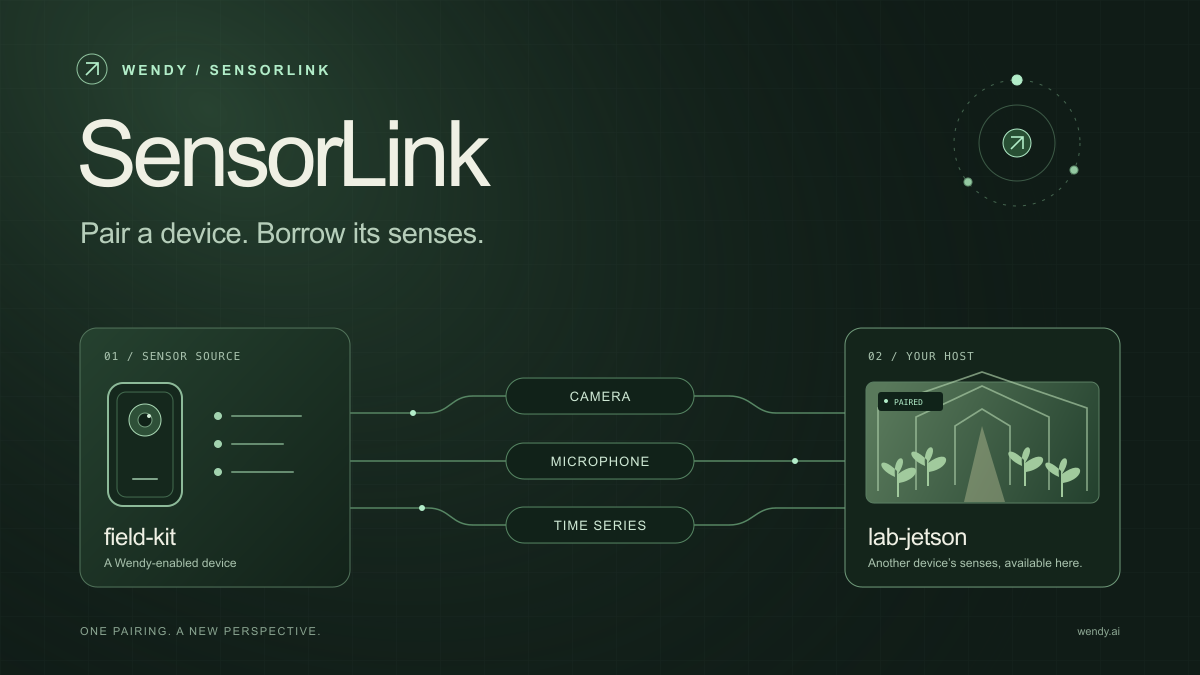
SensorLink: Pair a Device. Borrow Its Senses.
Give your Wendy host the eyes and ears of another device. SensorLink brings cameras, microphones, and a shared model for time-series sensors into a familiar pairing workflow.
Wendy Labs - Wendy Labs Team

Free NVIDIA DGX Spark 3D model
Download our free NVIDIA DGX Spark 3D model as a GLB or an editable Blender scene with studio lighting, materials, and cameras. No signup required.
Wendy Labs - Wendy Labs Team


Start with one device. Close the loop around it.
Use WendyOS on your hardware or add Wendy Agent to an existing Linux or Apple Silicon Mac. Connect sensors, run your code, and carry what you learn into the next release.