We Open-Sourced our One-Command Vision Stack
Join our Discord community to connect with other developers building with WendyOS!
Getting a camera to see - really see, with depth and detections and a live feed you can open in a browser - has always been the hard part of edge AI. Not the model. The plumbing. Cross-compiling librealsense for ARM, wiring CUDA to OpenCV, streaming frames without a WebRTC rabbit hole, and packaging the whole thing so it survives a reboot on a device sitting in a field.
Today, that plumbing is open source. The RealSense and YOLO template apps that power computer vision on WendyOS are now public, MIT-licensed, and deployable to a Jetson or a Raspberry Pi with one command.
The one command
Once the CLI is installed and a device is connected, the entire stack goes from git clone to live streams in your browser with:
wendy runThat single command cross-builds the multi-stage Docker image for ARM64, ships it to your Jetson or Pi over USB-C, brings the container up with the right camera and GPU entitlements, and opens your browser to the live feed. No JetPack SDK spelunking, no SSH, no "deploy and pray."
Want to try it right now? Install the Wendy CLI below, then run wendy run.
curl -fsSL https://install.wendy.dev/cli.sh | bashRun on the computer where you write code. Installs the Wendy CLI.
Set up your first projectWhat's in the stack
Two production-ready template apps, each a complete reference you can fork, gut, or ship as-is.
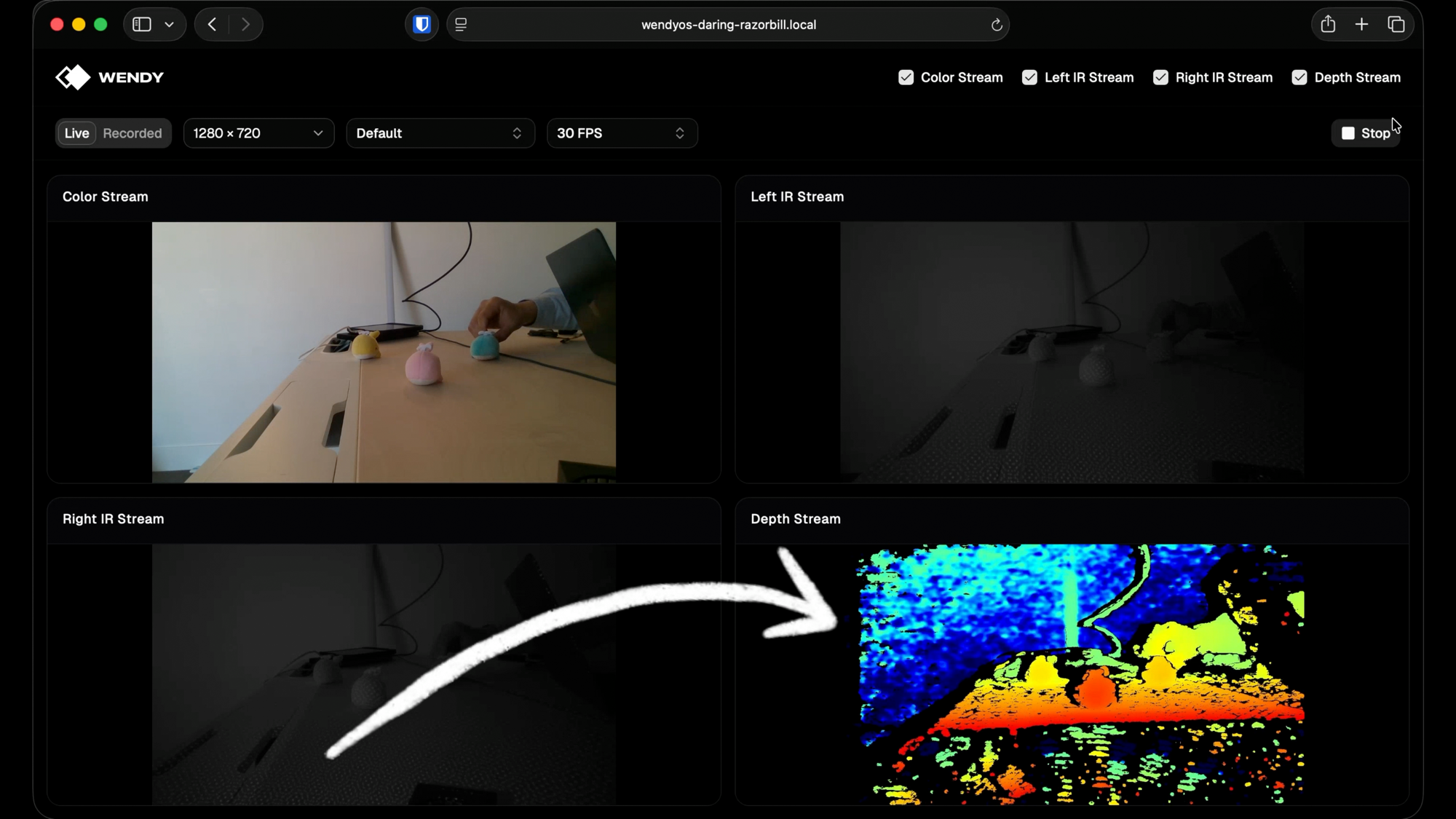
RealSense four-stream viewer. A live viewer for the Intel RealSense depth cameras:
- Color - the RGB sensor at up to 1080p
- Left IR + Right IR - the stereo infrared pair
- Depth - the depth map, run through librealsense's colorizer for visualization
A FastAPI server owns the pipeline, a single background thread polls frames, and each stream is published as its own MJPEG endpoint. The React frontend just drops them into <img> tags - no WebRTC, no custom decoder, no client-side library needed.
YOLO real-time object detection. A full object-detection app built around YOLOv8:
- Webcam capture with OpenCV and YOLOv8 inference on every frame
- MJPEG streaming with bounding-box overlays
- A React + Tailwind frontend with an auto-scrolling detection log
- Detection logging with confidence scores and timestamps over Server-Sent Events
Both ship with the pieces that usually take the longest to get right: a multi-stage Dockerfile (Node build stage plus a Jetson-optimized CUDA base image), pre-downloaded models for offline operation, and a wendy.json that declares GPU, video, and network entitlements so the container gets exactly the hardware access it needs and nothing more.
Runs on the hardware you already have
The templates are tested across the devices developers actually reach for:
- NVIDIA Jetson - Orin Nano, AGX Orin, and the upcoming Jetson Thor
- Raspberry Pi - Pi 4 and Pi 5
- Any Ubuntu host - x86_64 or aarch64, if you'd rather not flash a device yet
The RealSense template defaults match the D415, but D435, D435i, and D455 work with the same code. The YOLO template just needs a USB webcam.
Why we open-sourced it
We build WendyOS because deploying to the physical world shouldn't feel like a step back in time. But a closed template you can only run is a black box - and a black box is a bad teacher.
Open-sourcing the vision stack means you can read every file, understand exactly how frames move from sensor to browser, swap the model, add a stream, or fork it into something we never imagined. It also means our AI-assisted workflow gets sharper: point Claude Code or Cursor at these repos and the CLI docs, and "build me a depth-aware inspection app" stops being a demo and starts being a starting point.
This is the same philosophy behind everything we ship. The hardware abstraction should be clean, the tooling should be honest, and the code should be yours.
Try it yourself
- Install the Wendy CLI:
brew install wendylabsinc/tap/wendy - Clone the samples:
git clone https://github.com/wendylabsinc/samples.git - Connect a RealSense camera or USB webcam to your Jetson or Pi
- Pick a template and run it:
# RealSense four-stream viewer
cd samples/python/realsense && wendy run

# YOLO object detection
cd samples/python/yolov8 && wendy run
Or scaffold a fresh project from a template in one shot:
wendy init \
  --app-id my-vision-app \
  --target wendyos \
  --language python \
  --template realsense-camera \
  --assistant skip
Prefer to read first? The RealSense walkthrough covers every file in the template, and the full CLI reference lives at wendy.sh/docs.
The plumbing is solved and the code is open. Go build something that sees.
Related post
Expand your knowledge with these hand-picked posts.
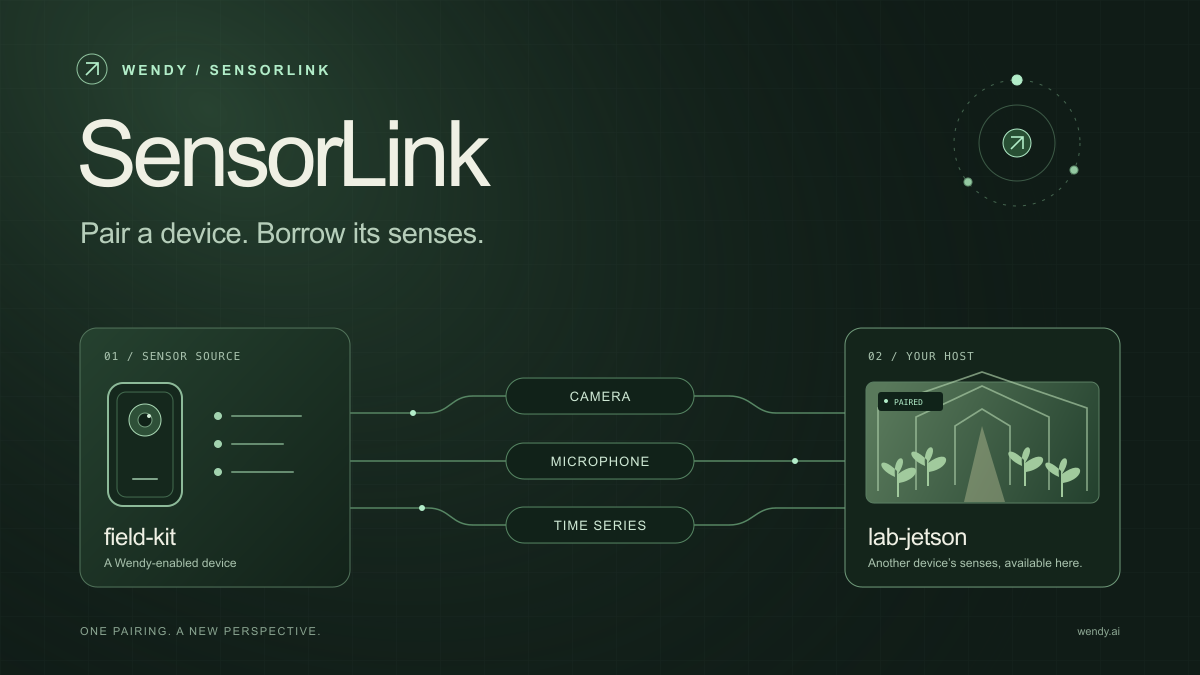
SensorLink: Pair a Device. Borrow Its Senses.
Give your Wendy host the eyes and ears of another device. SensorLink brings cameras, microphones, and a shared model for time-series sensors into a familiar pairing workflow.
Wendy Labs - Wendy Labs Team

Free NVIDIA DGX Spark 3D model
Download our free NVIDIA DGX Spark 3D model as a GLB or an editable Blender scene with studio lighting, materials, and cameras. No signup required.
Wendy Labs - Wendy Labs Team


Start with one device. Close the loop around it.
Use WendyOS on your hardware or add Wendy Agent to an existing Linux or Apple Silicon Mac. Connect sensors, run your code, and carry what you learn into the next release.