WendyOS vs. Ubuntu + JetPack: Reproducible Robots Without Fleet Drift
Want to try WendyOS on supported hardware? Install the Wendy CLI below, then run wendy os install. The interactive flow selects the device type and release, downloads the appropriate board-specific image, and writes it to the drive you choose.
curl -fsSL https://install.wendy.dev/cli.sh | bashRun on the computer where you write code. Installs the Wendy CLI.
Set up your first projectUbuntu plus NVIDIA JetPack is an excellent way to start developing on a Jetson. It gives you NVIDIA's supported drivers, CUDA, TensorRT, multimedia APIs, and the familiar flexibility of a general-purpose Linux distribution.
That flexibility becomes a different operating problem when one development board turns into fifty robots in locations you cannot physically reach. The question is no longer whether you can configure one Jetson. It is whether you can prove every device has the same base system, update it remotely, and recover without sending someone to reflash it.
That is the problem WendyOS is designed to solve.
The quick decision: Choose Ubuntu plus JetPack when host-level flexibility and direct access to NVIDIA's standard development environment matter most. Choose WendyOS when you want a versioned base OS, atomic rollback, and one deployment workflow across a fleet of supported devices.
First: Ubuntu, Jetson Linux, L4T, and JetPack
These names are often used interchangeably, but they describe different layers:
- Jetson Linux, historically called L4T, combines an Ubuntu-derived root filesystem with NVIDIA's kernel, bootloader, firmware, drivers, and board support package.
- JetPack adds the accelerated computing stack, including CUDA, TensorRT, cuDNN, VPI, multimedia APIs, and development tools.
- Your application sits on top with its own packages, services, configuration, models, and device integrations.
Compatibility across these layers matters. NVIDIA publishes packages for specific Jetson Linux releases and notes that they are verified against the root filesystem shipped with the corresponding BSP. NVIDIA supports both package-based updates and image-based OTA, but not every cross-release upgrade path is supported. The exact matrix depends on the board and installed release. See NVIDIA's software package and update documentation.
The fleet problem is drift, not APT itself
apt upgrade is not inherently unsafe on a Jetson. NVIDIA documents it for supported point releases. The fleet risk is the mutable, in-place operating model around it.
Imagine four identical inspection robots six months after deployment:
- Robot A received a supported Jetson Linux point update and a local CUDA patch.
- Robot B missed that maintenance window because it was offline.
- Robot C has a systemd unit edited during an emergency field repair.
- Robot D has a Python library and camera package installed manually during debugging.
The next application release works on A and B, starts with the wrong environment on C, and loads an incompatible library on D. The devices began with the same image, but their current state is now the sum of every package transaction and manual change made since installation.
You can manage this with configuration management, strict release procedures, golden-image rebuilds, and NVIDIA's OTA tooling. Many teams do. WendyOS takes a more constrained approach: the base operating system is a versioned artifact rather than a machine that evolves in place.
The short version
| Concern | Ubuntu + JetPack | WendyOS |
|---|---|---|
| Initial setup | NVIDIA SDK Manager, command-line tooling, or a prepared image | Interactive wendy os install with a board-specific image |
| Package updates | Supported within NVIDIA's documented release paths | No package manager on the base OS |
| Full image updates | NVIDIA image-based OTA is available | Atomic A/B root filesystem update built in |
| Failure recovery | Depends on the chosen update design and tooling | Health-checked boot with rollback to the last-good slot |
| Application deployment | Choose and integrate your own container or package workflow | Built in with wendy run |
| Host customization | Full Ubuntu flexibility | Base changes require a new versioned OS image |
| CUDA and TensorRT | Installed as part of the JetPack stack | Provided to GPU-entitled application containers |
| Cross-board consistency | Build and maintain a workflow per target | Common app, entitlement, identity, and CLI contract across board-specific images |
| Existing Linux machines | Native environment | Add wendy-agent for the app workflow without replacing the OS |
The WendyOS model: the image is the unit
WendyOS ships without a package manager on the base OS. That is a deliberate tradeoff. A field device cannot drift because someone installed a host package or edited its root filesystem during a late-night repair.
- Board-specific, versioned images. Jetson and Raspberry Pi devices require different kernels, bootloaders, firmware, and image layouts. WendyOS publishes the appropriate image for each supported target while keeping the application format, entitlements, identity model, and CLI workflow consistent.
- Atomic A/B updates. WendyOS writes a new root filesystem to the inactive slot. The device boots that slot, checks critical services, and commits it only after a successful boot. If the updated slot fails, the device returns to the last-known-good slot.
- Containerized applications. Application libraries, Python packages, tools, and system dependencies belong in the app container. Updating an application does not require changing the host OS.
- Identity at enrollment. Each device receives a cryptographic identity and uses mutual TLS, so fleet access does not depend on exposing an inbound SSH port.
The result is a narrower host environment and a more explicit release process. You give up arbitrary changes on the device in exchange for being able to name and reproduce the base state it is running.
What about ffmpeg, Python packages, and debugging tools?
Put application dependencies in the container image. That includes Python libraries, native packages, command-line utilities, and the application-facing parts of your media or robotics stack. Declare access to hardware such as the GPU and camera in wendy.json, then deploy the application with wendy run.
If a dependency truly belongs in the base system, it requires a new WendyOS image rather than a one-off package installation in the field. Temporary diagnostics should run through application containers and Wendy's device tooling so they do not silently become part of the host configuration.
This separation is stricter than Ubuntu, and that is the point. It also means WendyOS may not be the right fit when your product depends on frequent host-level experimentation, unsupported kernel modules, or peripherals that are not available in a supported image.
NVIDIA OTA and WendyOS A/B updates
NVIDIA provides two update families for Jetson Linux: Debian package updates and image-based OTA. The image-based tooling can update partitions and is the appropriate NVIDIA-native starting point when you need a full-system rollout rather than individual packages.
WendyOS does not claim that Jetson lacks an update mechanism. Its value is the operating model around that mechanism: the A/B update path, health-checked commit, application deployment, hardware entitlements, identity, logs, and device commands are designed as one platform rather than assembled as separate fleet components.
Rollback still has boundaries. Returning to an older root filesystem does not automatically reverse persistent database migrations, cloud-side state changes, data on shared storage, or separately updated peripheral firmware. Applications must keep persistent-data changes backward-compatible with the previous slot.
A practical migration path
You do not need to move an entire fleet at once:
- Containerize the existing application and its userspace dependencies.
- Declare GPU, camera, network, storage, and other hardware requirements in
wendy.json. - Run the app on an existing Ubuntu machine with
wendy-agentto validate the deployment workflow without replacing its OS. - Flash WendyOS onto a supported development board and test hardware access, persistent data, cold boots, and rollback behavior.
- Move a representative canary group to WendyOS.
- Expand the rollout only after the same application artifact behaves correctly across every supported board configuration.
There is one important boundary: installing wendy-agent on Ubuntu gives that machine the Wendy application workflow, but it does not make Ubuntu immutable or add WendyOS A/B rollback. The underlying distro remains yours to update and operate.
When Ubuntu + JetPack is the right call
Stay with Ubuntu plus JetPack when you need:
- Immediate access to NVIDIA's standard environment and newly released JetPack components
- Arbitrary host customization or rapid kernel and driver experimentation
- Desktop development directly on the Jetson
- Unsupported kernel modules, peripherals, or board configurations
- NVIDIA's standard diagnostic and support path
- A package manager on the host as an intentional part of your operating model
For a single development Jetson, or for a team with mature image building, configuration management, and OTA infrastructure, Ubuntu plus JetPack can be exactly the right foundation.
Choose WendyOS when the priority shifts from configuring individual computers to operating reproducible robots: a known base image, a separate application layer, remote updates with rollback, hardware permissions, device identity, and one deployment workflow across the fleet.
Frequently asked questions
Can I still use CUDA, TensorRT, and the GPU?
Yes. GPU access is a declared entitlement, and the NVIDIA userspace is provided to GPU-entitled applications. CUDA and TensorRT dependencies used by your application live in its container rather than being installed manually on the host.
What happens if an OS update fails on a remote device?
WendyOS installs the update to an inactive A/B slot and commits it only after a successful health-checked boot. If the updated slot cannot boot or a critical service fails, the device selects the previous slot and reboots.
Can I still install packages?
Not on the WendyOS base image. Put application packages and tools inside the app container. A dependency that must change the base OS requires a new versioned WendyOS image.
Do I have to move my whole fleet at once?
No. Flash supported boards with WendyOS and run wendy-agent on existing Linux machines. Both use the wendy run application workflow, but only devices running WendyOS receive its immutable base and A/B update model.
Keep comparing: WendyOS vs. Docker + ROS 2 · WendyOS vs. balena · WendyOS vs. Mender / RAUC. Or install the CLI and flash a device.
Related post
Expand your knowledge with these hand-picked posts.
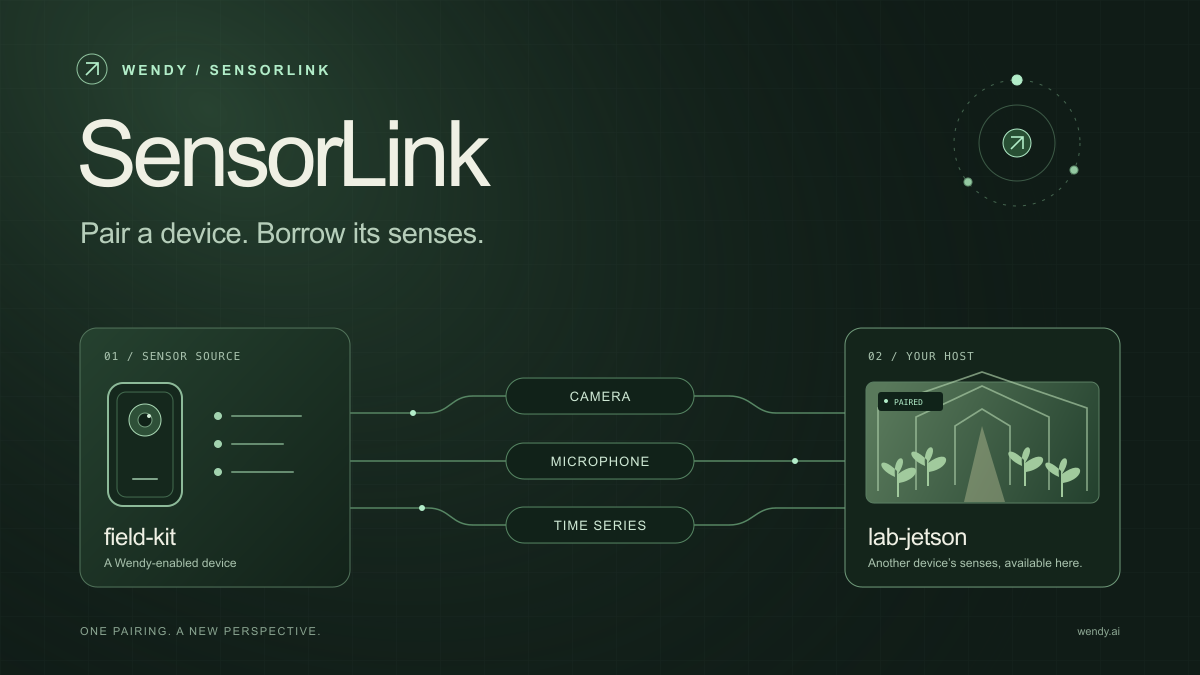
SensorLink: Pair a Device. Borrow Its Senses.
Give your Wendy host the eyes and ears of another device. SensorLink brings cameras, microphones, and a shared model for time-series sensors into a familiar pairing workflow.
Wendy Labs - Wendy Labs Team

Free NVIDIA DGX Spark 3D model
Download our free NVIDIA DGX Spark 3D model as a GLB or an editable Blender scene with studio lighting, materials, and cameras. No signup required.
Wendy Labs - Wendy Labs Team


Start with one device. Close the loop around it.
Use WendyOS on your hardware or add Wendy Agent to an existing Linux or Apple Silicon Mac. Connect sensors, run your code, and carry what you learn into the next release.