How WendyOS Updates a Robot Without Bricking It
Try the update. Keep the robot.
- 1Validate
- 2Write idle slot
- 3Trial boot
- 4Prove healthy
A robot either commits a new version that works or returns to the known-good version. A failed update never overwrites the OS it was already running.
A bad update in the field is the scariest bug in robotics.
Most software can be fixed with another deployment. A robot may not give you that second chance.
Its computer might be bolted inside a machine on a factory floor, mounted high on a pole, or working across a large site. There is no keyboard or monitor nearby, and the network may be unreliable.
Send that robot a bad OS update and it may never reconnect. Someone now has to travel to it, open it, attach a cable, and reinstall the software. That unreachable black screen is what engineers mean when they call a device a brick.
For one robot, that is an inconvenient service visit. For a fleet of 1,000, it can become 1,000 visits caused by one click.
The fix is a simple rule: every update must be all-or-nothing, and able to undo itself.
Two slots, and a rule about when a new one counts
This is called an A/B update. The robot keeps two complete copies of its operating system:
- The active slot runs the robot.
- The idle slot waits as the safe place for the next update.
An update follows four steps:
- The robot keeps running from slot A while the new OS is written to slot B.
- It restarts into slot B for a trial run.
- It checks that the network, connected hardware, and app system all come back.
- It keeps slot B only if those checks pass. Otherwise, it restarts on untouched slot A.
The update engine, wendyos-update, performs this decision locally. The active slot stays untouched until the trial has booted and passed its checks; if the update also breaks connectivity, the robot can still return to the known-good slot without Wendy Cloud.
Two ways to fail, and why the difference matters
WendyOS distinguishes two rollback paths because they point to different faults:
- The new version never started. Something breaks so early that the new version never gets far enough to run a health check at all, and the device returns to the old slot on its own.
- The new version started but isn't healthy. It comes up, but a critical service never reports itself working in time. Here the device did run the new version and did run its checks — and the checks failed — so it deliberately picks the previous slot and restarts.
Both end in a fall-back, but treating them as the same thing is a real cost. If your tools always say "health checks failed," an engineer debugging a device that actually never started at all will burn hours reading logs for services that never ran. WendyOS tells you which of the two it was — "the new version never started" versus "the update failed its health checks after restart" — so the first line you read points you at the right layer.
Before the robot restarts, it checks the package
Two slots protect a robot from an update that cannot start. They do not protect it from installing the wrong file. So a downloaded update does not immediately trigger a restart.
First, WendyOS asks three simpler questions:
- Did every byte arrive intact? The device compares the file's checksum — a digital fingerprint — with the one it expected. A damaged download produces a different fingerprint.
- Is this a complete update package? A cut-off or malformed file is rejected.
- Was it built for this board? A Raspberry Pi image should never reach the startup step on an NVIDIA Jetson.
Picture a Jetson on a warehouse robot receiving a Pi build by mistake. The download can finish successfully, but the hardware check fails. The robot does not restart. It does not touch either working copy of its OS. It simply reports that the update was rejected and carries on with its current job.
One protection is still in progress
An intact file is not automatically a trusted file. WendyOS does not yet verify a cryptographic signature that proves who produced an OS update. That work is in progress.
Once shipped, signing will act like a tamper-proof seal: the device will accept a package only when it carries a signature from a key it already trusts. Until then, checksum, package, and hardware checks can catch damage and mismatches, but they do not prove the identity of the builder.
Rollback has a boundary
The two copies cover the operating system. They do not make a time machine for everything connected to it.
Here is a failure that catches teams out:
- Version 2 starts and changes an on-device database to a new format.
- A critical service fails its health check.
- The robot returns to version 1 of the OS.
- Version 1 opens the database, sees a format it does not understand, and the app still fails.
The OS rollback worked exactly as designed. The saved data did not roll back with it.
The same boundary applies to data stored in the cloud and firmware installed on a separate sensor or motor controller. Those changes need their own recovery plan. In practice, that means making database changes readable by both the old and new app, giving attached hardware a separate way back, and testing the full robot on both OS slots before a fleet rollout.
Why hardware support is board by board
Switching copies is board-specific. Each startup system has its own way to trial the other slot once.
WendyOS carries that hardware-specific work for supported boards instead of asking every robotics team to build it. That is also why we wrote our own update engine after starting with an off-the-shelf tool: the last step is not just moving a file. It is teaching each board how to try, confirm, and recover from a complete OS image.
Where the two-slot safety net applies
The automatic path is available when the device is flashed with a WendyOS image:
- NVIDIA Jetson and Raspberry Pi running WendyOS: two OS copies, a trial start, health checks, and automatic rollback.
- x86 machines or DGX Spark running the Wendy agent on ordinary Linux: the host Linux installation remains in charge of OS updates, so its normal package manager and recovery process apply.
Installing the Wendy agent alone does not rearrange an existing Linux disk into two OS copies. For a deeper comparison, see WendyOS vs. Mender & RAUC and WendyOS vs. balena.
What the operator actually sees
The operator starts an update with wendy os update. After restart, wendy os update-status reports whether it committed, rolled back during startup, rolled back after health checks, or was rejected before installation. Wendy Cloud coordinates fleet rollouts, while each robot makes its own safety decision.
Why a fixed OS image matters too
Rollback is easier to trust when both sides are known quantities. WendyOS images are built from a written specification rather than repaired and changed by hand in the field. You can point to the old slot and the trial slot and know exactly which image each contains.
That reproducible-image story is covered in WendyOS Stagefiles.
The result should feel uneventful
Imagine 500 robots taking an update overnight. Most start the new version. Three find a bad hardware interaction and quietly return to the version they ran yesterday. In the morning, the fleet view shows exactly which three returned and why. The robots are still reachable, and the team has three useful bug reports instead of three emergency site visits.
That is the standard: a bad build should become a failed update, not a failed robot.
Related post
Expand your knowledge with these hand-picked posts.
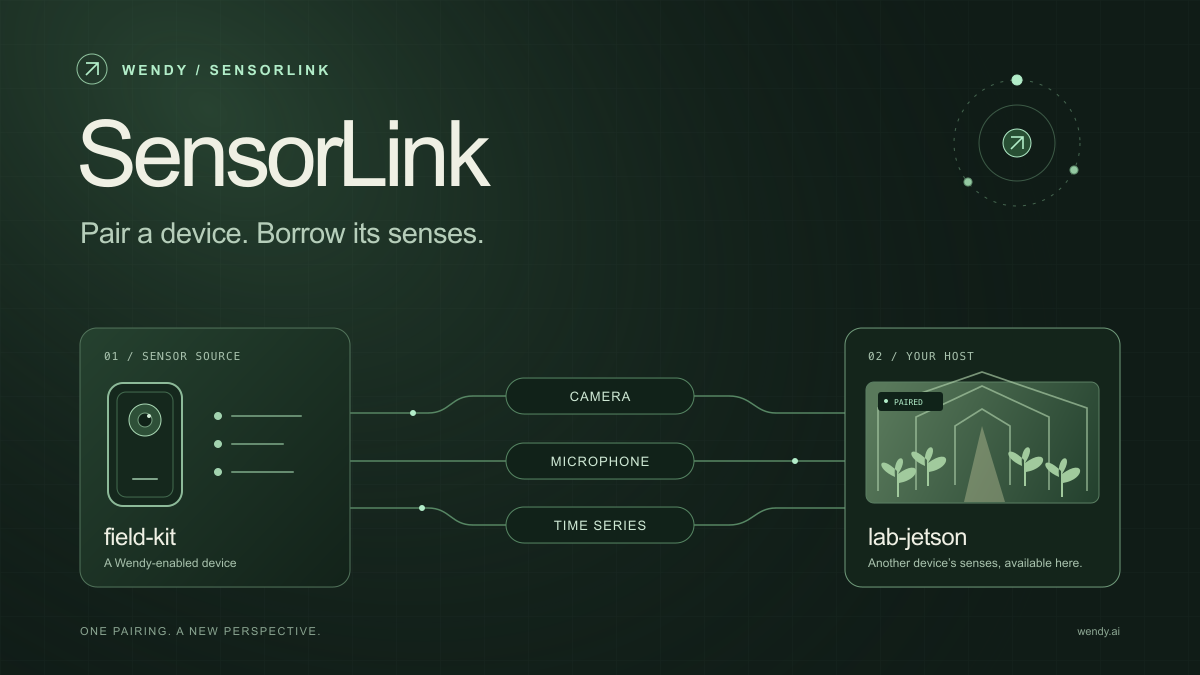
SensorLink: Pair a Device. Borrow Its Senses.
Give your Wendy host the eyes and ears of another device. SensorLink brings cameras, microphones, and a shared model for time-series sensors into a familiar pairing workflow.
Wendy Labs - Wendy Labs Team

Free NVIDIA DGX Spark 3D model
Download our free NVIDIA DGX Spark 3D model as a GLB or an editable Blender scene with studio lighting, materials, and cameras. No signup required.
Wendy Labs - Wendy Labs Team


Start with one device. Close the loop around it.
Use WendyOS on your hardware or add Wendy Agent to an existing Linux or Apple Silicon Mac. Connect sensors, run your code, and carry what you learn into the next release.